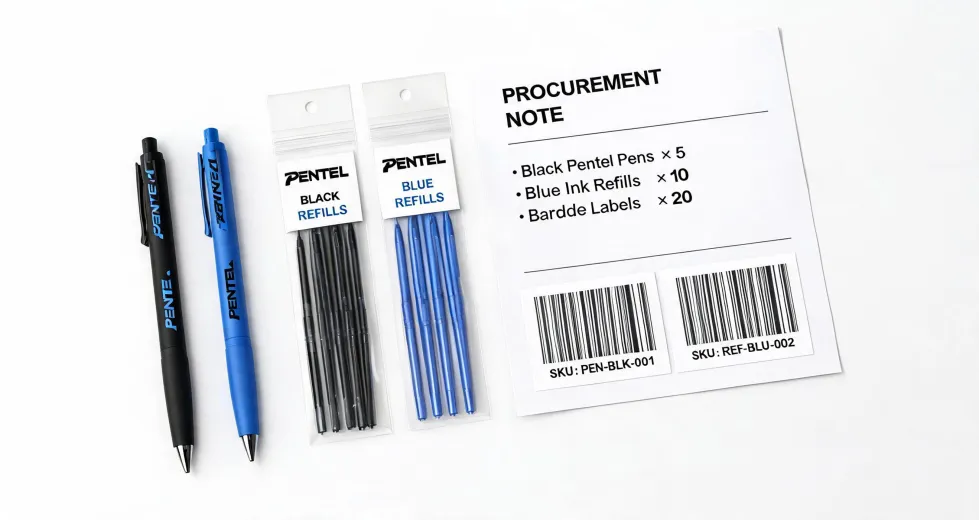
When I first started ordering art supplies for our university design department, I thought the process was simple. Grab a catalog, pick the biggest multi-pack, and send the PO. I was the guy who bought 200 Pentel EnerGel pens in .7mm tip size because they were on sale, only to discover half my team prefers .5mm. That order alone cost us about $340 in wasted budget, plus the embarrassment of telling the illustration professor I'd be back with the right ones in two weeks.
I'm the supply coordinator handling art material orders for about 10 years now. I've personally made—and documented—about 6 or 7 significant ordering mistakes, totaling roughly $8,000 in wasted budget. Now, I maintain our department's selection checklist to prevent others from repeating my errors.
The Surface Problem: Endless Options, No Guidance
The typical scenario: you need to stock up for a studio class or a new design team. You open a product page and see 12 different Pentel mechanical pencil series—GraphGear 1000, GraphGear 500, Twist-Erase Click, Orenz, Orenz Nero, P205, Sharp Kerry, A125, PD105, PD345, and probably a few I'm forgetting.
You think, "Well, they're all good, right? Pentel is a Japanese brand known for precision." So you pick the one with the most reviews or the one that's on sale. That's where I screwed up, repeatedly.
My initial approach was completely wrong. I thought the key was finding the 'best' overall pencil or pen. I spent hours reading comparison articles that crowned one model as the winner for drafting, writing, and sketching. But here's the thing—that kind of generalized ranking doesn't translate to real-world use.
The Hidden Reason: Your Use Case Is More Specific Than You Think
From the outside, a mechanical pencil is a mechanical pencil. You push the top, lead comes out, you write. The reality is way more nuanced. The Pentel GraphGear 1000 is a fantastic drafting tool with a metal grip, a retractable tip, and a balanced weight. But if you're ordering supplies for a high school art class where kids tend to drop things, the retractable tip mechanism is a potential point of failure. You'd be better off with the simpler, more durable P205.
People assume the most expensive or most feature-rich model is always the best choice. What they don't see is the cost of those features in specific scenarios. For example, the Pentel Orenz has a really cool auto-feed mechanism that's great for continuous sketching. But I've had students complain that they can't feel the lead—it's too smooth. For someone who likes tactile feedback while writing, the Orenz is kind of a miss.
People assume the most expensive model is the best. What they don't see is the cost of those features in specific scenarios.
I used to think the main difference between Pentel's gel pens (like the EnerGel) and their hybrid inks (like the Vicuna) was just the color saturation. That's a surface illusion. The real difference is drying time, smudge resistance, and how the ink behaves on different paper stocks. For left-handed writers in your office, smudge resistance is a deal-breaker. For someone signing glossy documents, a slower-drying ink could turn a $3,200 project into a mess.
The Real Cost of Getting It Wrong
Let's talk about the cost of a bad supply order. It's not just the sticker price of the returned or unused items.
1. The Direct Waste
In September 2022, I ordered a case of Pentel Pocket Brush Pens for a sumi-e ink painting workshop. I assumed all the brush tips were the same. The result came back a disaster. Some artists hated the stiffness; others found the ink flow too wet. $890 worth of pens, straight into a storage closet. They were fine, just not right for that specific use. That error cost $890 in redo, plus a 1-week delay to place a new order for different brush pens (and then the workshop had to be rescheduled).
2. The Productivity Hit
When your team or students can't use the tools effectively, their output suffers. I once ordered Pentel's Art Brush Pens for a graphic design team that needed them for quick marker sketches. The problem? They were water-based, not alcohol-based like the Copic markers they were used to. The blending was different, the colors layered poorly. We lost about 3 days of productivity while everyone adjusted their workflow. It's not just the $450 for the wrong markers—it's the 40 hours of lost billable time.
3. The Trust Erosion
This one's harder to quantify, but it's real. After my third major order mistake, the department head asked if I needed help vetting the catalogs. It wasn't malicious, but my reputation took a hit. When you're the person responsible for making sure the team has the right tools, a few visible failures can make everyone nervous.
We've caught 47 potential errors using my selection checklist in the past 18 months. That's 47 mistakes that never happened. Assuming each one would've cost an average of $150 in waste and redo, that's a savings of about $7,000. The checklist cost me nothing but an hour of my time to create.
How to Actually Choose: A Simple, Foolproof Approach
So, what's the fix? Don't start with the product. Start with the user and the environment.
Here's the short version of the checklist I use now. It's not complicated, and that's the point. The 12-point checklist I created after my third mistake has saved us an estimated $8,000 in potential rework. I'll share the core of it here.
Step 1: Profile the User and Task
Before you even look at a product page, answer these three questions:
- Who is using this? (Professional illustrator, student, admin assistant, left-handed writer?)
- What are they doing? (Drafting blueprints, taking notes in a meeting, sketching for a pitch, writing calligraphy?)
- Where are they using it? (At a drafting table, in a coffee shop, in a high-vibration environment like a factory floor? Any extreme temperatures or humidity? What kind of paper?)
Step 2: Match the Feature to the Need
Now, look at the product specifications. Don't be seduced by features you don't need.
- Need durability for portable use? The Pentel P205 series is basically indestructible. The GraphGear 1000 is precise but has more moving parts.
- Need a super-fine, consistent line for precision drafting? The Pentel Orenz with 0.2mm lead is incredible, but it requires careful handling.
- Need a pen that dries fast so lefties don't smudge? Pentel EnerGel is known for its fast-drying liquid gel ink. Avoid some of the softer-tip brush pens for this use case.
- Need a brush pen for illustration with variable line width? The Pentel Pocket Brush Pen is a classic, but it uses waterproof pigment ink. If you need water-soluble ink for washes, a different brush pen is better.
Step 3: Order a Sample Kit First (Seriously)
This is the single most effective mistake-prevention tool I've ever used. Instead of dropping $800 on a bulk order of one model, spend $50 on a 'variety pack' of 3-4 different models that seem to fit the profile. Let 3-5 actual users test them for a week. Get their feedback. In my experience, this process consistently reveals preferences I could never have predicted.
For example, when we were kitting out a new digital tablet lab, I thought we'd all want super-fine, archival-quality mechanical pencils. It turned out that for the bulk of note-taking on standard paper, the team preferred the Pentel Twist-Erase Click for comfort and the convenience of the larger eraser. A $60 sample kit saved us from a $1,200 mistake.
A $60 sample kit saved us from a $1,200 mistake.
Listen, I'm not saying every order has to be this big analysis. For restocking standard staples like P205 pencils or EnerGel refills, you already know what works. But whenever there's a new user group, a new task, or a new product line, this simple three-step process has been a game-changer. It's the difference between guessing and knowing.
The bottom line is that choosing the right Pentel product isn't about being a product expert or finding the 'best' one. It's about answering one simple question correctly: what's the right tool for *this* specific job and *this* specific person? Get that right, and you'll save a ton of time, money, and frustration.