-
Step 1: Take inventory before you buy anything
-
Step 2: Choose a daily driver and a specialty pen
-
Step 3: Run the cost-per-day math
-
Step 4: Check the paper and print standards before you order
-
Step 5: When you search "where to buy a printer near me", compare total cost
-
Step 6: Verify everything before you hit buy
-
Step 7: Review the numbers quarterly
-
Common mistakes to avoid
I'm a procurement manager at a 32-person manufacturing company. I've managed our office supplies budget (around $6,000 annually) and tracked every invoice in our system—about $180,000 in cumulative spending across six years, give or take. I'd have to check the exact number. We use Pentel for most writing supplies, so I've learned what's worth ordering and what isn't. This is the checklist I follow when buying pens, paper, and printers. It's seven steps and takes about 15 minutes per quarter.
Step 1: Take inventory before you buy anything
Open the supply closet. Count the unopened boxes. When I audited our supply cabinet in 2024, I found 14 boxes of pens from at least three previous orders. They weren't bad pens—they were just the wrong pens for the people who work here. Some were too fine, some were too bold, and a few were metallic gel pens that nobody had asked for. If you buy before looking, you'll do the same thing.
Inventory should answer three questions: what do we have, what do we actually use, and what's past its prime? Pens don't expire, but the point is to stop the habit of ordering things you already own. This is the prevention part of the job. A five-minute cabinet check before an order can save a 30-minute return headache later.
Step 2: Choose a daily driver and a specialty pen
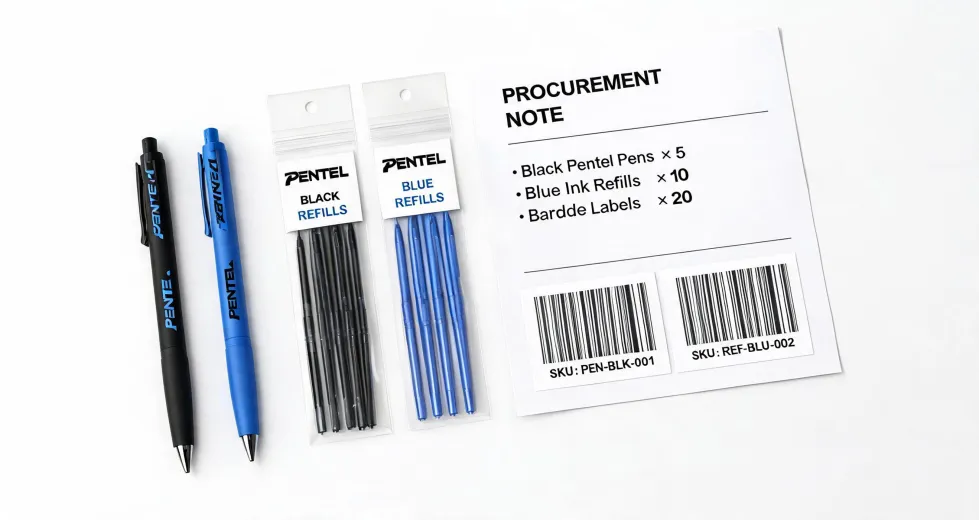
For everyday writing, we use Pentel Energel Pens. They dry quickly, the refills are easy to stock, and the grip works well for people who write all day. A 0.5mm or 0.7mm point covers most people. We order black and blue in bulk, and a small amount of red for edits. The key is consistency: one brand, one refill, one SKU.
The Pentel Dual Metallic Gel Pen is a different animal. It's great for addressing envelopes, signage, or labels where you want the ink to catch the light. It is not a daily note-taking pen. Last year I watched someone order 12 of them for the whole office. A week later, 11 were still in the drawer because the ink smeared on regular paper. It wasn't a bad product—it was a bad match. Buy specialty pens for specific tasks, not for the supply closet.
Step 3: Run the cost-per-day math
Here's the formula I use: (purchase price + expected refills) ÷ usable days = actual cost. The cheapest pen on the shelf is not always the cheapest per month. A $1.50 pen that runs out in a week costs more than a $4 pen that lasts two months. And if the $1.50 pen gets thrown away because it doesn't feel good, the cost is even higher.
You don't need a limit calculator (the calculus kind) for this. Basic arithmetic works. The idea is to make the cost visible instead of guessing. If math isn't your thing, think of it like a Pokemon GO CP calculator: you input the stats, look at the potential, and decide which creature is worth the resources. Same logic, fewer fictional monsters.
Step 4: Check the paper and print standards before you order
Printing is where office supply budgets quietly leak. Let me give you the standards I use.
Paper weight: 20 lb bond (75 gsm) is fine for internal documents. For presentation covers, use something closer to 80 lb cover (216 gsm). Business cards are usually 100 lb cover (270 gsm). If your printer can't handle the thickness, you'll find out after the first jam.
Image resolution: commercial offset printing works best at 300 DPI at final size. A large poster can get away with 150 DPI. A screenshot from a website is not a print-ready file. That's not a preference; it's an industry standard.
Color matching: if you're reproducing a brand color, the tolerance is usually Delta E below 2 for critical work. That's tighter than most office printers can hold. If the color has to be right, get a physical proof from a print shop. The proof costs a little money; a reprint costs a lot.
Step 5: When you search "where to buy a printer near me", compare total cost
When I need a new printer, I search "where to buy a printer near me" because local shops make warranty returns easier. But "near me" doesn't mean "best deal." I compare the printer price plus the cost of ink or toner cartridges. A $49 printer that needs $80 cartridges after 300 pages costs more over a year than a $150 printer using $25 cartridges after 1,500 pages.
Add the paper cost, the replacement cartridge yield, and the time spent dealing with jams. Total cost of ownership (TCO) is the real number. The lowest number at the register is often not the lowest number over a year.
Step 6: Verify everything before you hit buy
This is the step most people skip. Before checkout, check the SKU, the quantity, and the cartridge model. I once ordered 12 boxes of refills for a pen model we didn't even carry. The return shipping cost more than the refills. Another time, I ordered 10 packs of copy paper without checking the printer's tray limit—it misfed every sheet because the paper was too thick.
Five minutes of verification is cheaper than five days of correction.
It took me a year and two wrong orders to understand that. Now my rule is simple: if an order is over $200, a second person looks at it before I hit submit. If it's under $200, I still read the line item three times. That's not paranoia; it's prevention.
Step 7: Review the numbers quarterly
After six years of managing office supplies, I've come to believe that the best buying decision is highly context-dependent. I used to switch suppliers for a $20 price difference. That was a mistake. Vendor relationships and consistent delivery matter more than a one-time discount. What worked in Q1 may not work in Q3. So every three months, I review what was used and what wasn't. Anything still sitting in the cabinet after 90 days gets cut from the standing order.
This is where the Pokemon GO CP calculator analogy comes back. You don't power up every Pokemon you catch. You check the stats, compare the potential, and make a decision. Office supplies are the same. Track what gets used, and you'll stop wasting money on things people don't need.
Common mistakes to avoid
- Buying a specialty pen like the Pentel Dual Metallic Gel Pen for everyone. It's a niche tool, not a daily driver.
- Ordering a printer before checking cartridge yield and paper compatibility.
- Ignoring the cost of return shipping. A wrong order is never just the product price.
- Assuming all gel pens behave the same. Test one before buying 100.
- Not writing down what was used. You can't manage what you don't measure.
That's the checklist. If you only remember one thing: the time you spend checking before you order is the cheapest insurance your budget can buy.